

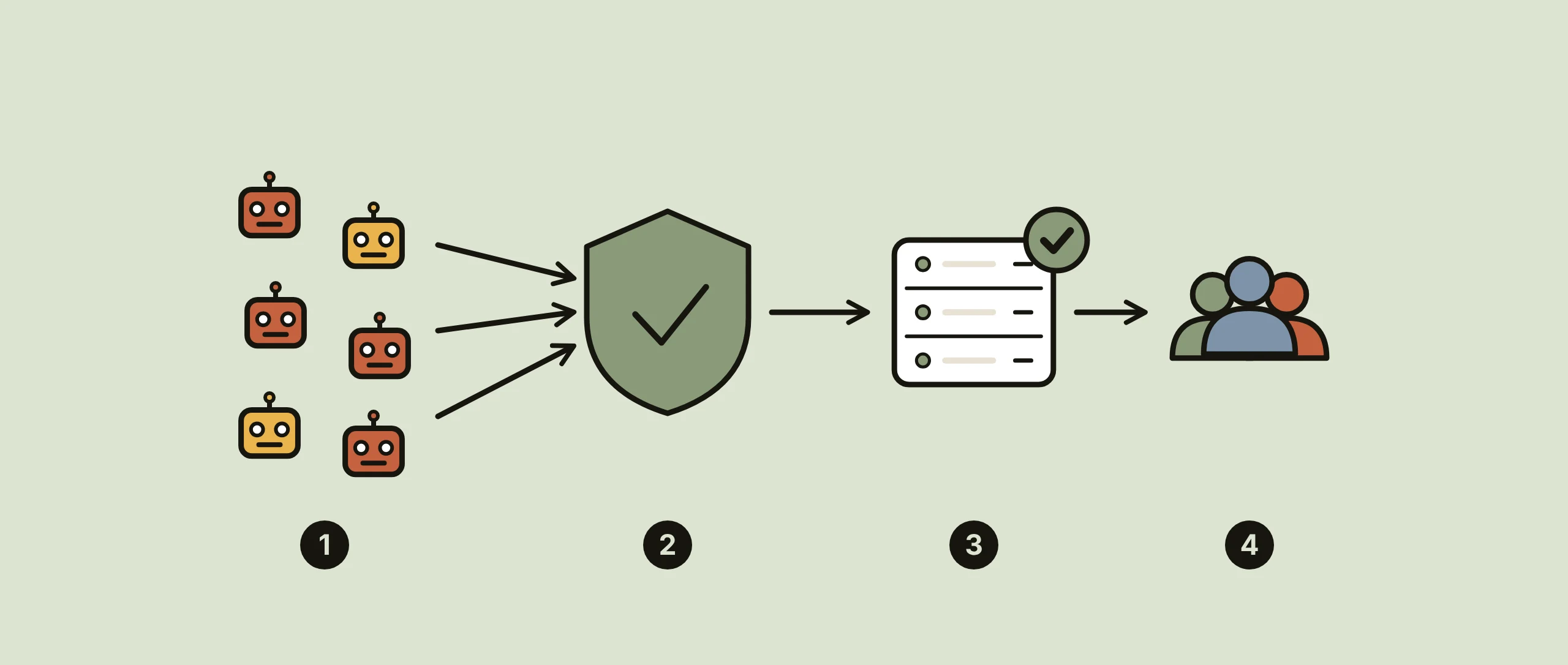
A WAF (web application firewall) checks every HTTP request to your site and blocks the ones that look like attacks before they reach WordPress, your online shop or your own code. At RichHost an L7 WAF is available as an add-on to your hosting from $9 a month, and hosting plans start at $8 a month.
What you get at RichHost
- L7 WAF: an add-on from $9 a month that filters HTTP requests to your sites at the application layer.
- Hosting plans: from A3 at $8 a month to A50 at $65, with 10% off for yearly payment.
- On every plan: NVMe disks, unlimited sites, mailboxes and traffic, our own control panel with an AI assistant, free Let’s Encrypt SSL, SSH access and all PHP versions from 7.4 to 8.3.
- Infrastructure and terms: data centers in Helsinki, Warsaw, Paris and the USA, free migration from another provider and a 14-day money-back guarantee.
The WAF works with HTTP traffic; it is not a network DDoS filter. Basic DDoS protection on L3-L7 is included free in every RichHost plan, and the L7 WAF from $9 a month is an extra layer against application attacks.
What a WAF is: L7 vs network protection
A network firewall works at layers 3 and 4. It sees IP addresses, ports and protocols and decides whether a connection is allowed at all. It does not read the request itself, so a normal login and an SQL injection attempt look the same to it.
A web application firewall works at layer 7, the HTTP level. It reads the URL, headers, cookies and request body and checks them against rules: patterns of known attacks, request rates and client behaviour. A network firewall decides who may connect; a WAF decides which requests are safe to pass to your application.
| Question | Network firewall (L3/L4) | WAF (L7) |
|---|---|---|
| What it sees | IP addresses, ports, protocols | URLs, headers, cookies, form data |
| Typical rule | Close every port except the web and SSH ports | Block a request whose parameter contains SQL code |
| SQL injection and XSS | no | yes |
| Floods of page requests | Only by IP, without context | Rate limits per URL, client or behaviour |
| Floods that fill the network channel | Need filtering upstream, before the server | no |
What an application-layer WAF typically blocks
Rules differ between products, but most WAFs cover the same groups of threats:
- SQL injection. Requests that try to slip database commands into a search field, URL parameter or form, for example to read the users table.
- Cross-site scripting (XSS). Attempts to inject JavaScript into pages, comments or forms so that it runs in your visitors’ browsers.
- Bad bots. Vulnerability scanners, password guessing scripts on the login page, content scrapers and spam bots, recognised by their headers, request patterns and behaviour.
- HTTP floods. Waves of ordinary looking requests to heavy pages such as search, cart or the login page. They keep PHP and the database busy until the site starts answering with errors like 503 Service Unavailable.
Many WAFs also offer virtual patching: a rule that blocks the exploit for a known plugin vulnerability while you wait for the fix. It buys time, but the update itself is still needed, along with the other steps from our WordPress security tests.
When a site needs a WAF
A WAF pays off when the site accepts input from visitors or holds something worth stealing: logins, customer accounts, orders, personal data. A brochure site without forms gains little. An online shop or a WordPress site with many plugins gains a lot.
Typical signs: many failed logins in the logs, requests to paths you never published such as /.env or old admin URLs, spam through forms, CPU spikes without more real visitors. Hosting monitoring and the access log usually show this first.
Know the limits. A WAF does not fix outdated plugins, weak passwords or common server security holes. It does not stop volumetric attacks that fill the network channel before a single HTTP request arrives. Strict rules can also block legitimate requests, so with any WAF it is worth reviewing blocked requests after you switch it on.
Decision table: do you need a WAF?
| Your site | Main risk | What to do |
|---|---|---|
| Static or brochure site, no forms or logins | Little to attack at the application level | Updates, SSL and backups; a WAF is optional |
| WordPress with plugins, comments and a login page | Plugin vulnerabilities, password guessing | WAF plus updates and strong passwords |
| Online shop or customer accounts | Theft of customer data, injected scripts on checkout pages | WAF recommended |
| Sudden waves of requests to search, login or cart | HTTP flood (L7) | WAF with rate limits, plus caching |
| Server unreachable, network channel full | Volumetric attack (L3/L4) | A WAF cannot help: filtering must happen upstream |
| Custom code you cannot patch quickly | Known vulnerability in your app | WAF as a temporary virtual patch, then fix the code |
For stores, our ecommerce hosting page lists what else matters. A CDN in front of the site takes static files off the server and works well alongside a WAF.
How to order
- Choose a hosting plan and pay for a month or a full year (yearly payment takes 10% off).
- If you do not have a domain yet, you can register a domain with RichHost.
- Contact support and ask to add the L7 WAF to the sites that need it. The add-on costs from $9 a month.
- Moving from another provider? Migration to RichHost is free.
WAF FAQ
What is a WAF in web security?
It is a filter between visitors and your web application. It inspects HTTP requests and blocks those that match attack patterns, such as SQL injection, XSS or abusive bots, before the application processes them.
Is a WAF the same as a network firewall?
No. A network firewall controls IP addresses and ports; a WAF reads the content of HTTP requests. Most sites benefit from both, because they stop different things.
What is the difference between a cloud WAF and a server WAF?
A cloud WAF filters traffic at a provider’s edge before it reaches your server. A server WAF, such as ModSecurity, runs as a module of the web server itself. Both inspect the same HTTP requests.
What is ModSecurity?
ModSecurity is an open source WAF engine for Apache, Nginx and IIS. On its own it is only an engine: what it blocks depends on the rule set loaded into it, most often the OWASP Core Rule Set.
Does a WAF protect against DDoS attacks?
Partly. Rate limits help against HTTP floods at layer 7. Volumetric attacks that fill the network channel need filtering before traffic reaches the server, which a WAF does not provide.
Compare plans and prices on the RichHost hosting plans page, then add the L7 WAF to the sites that handle logins, orders or personal data.


