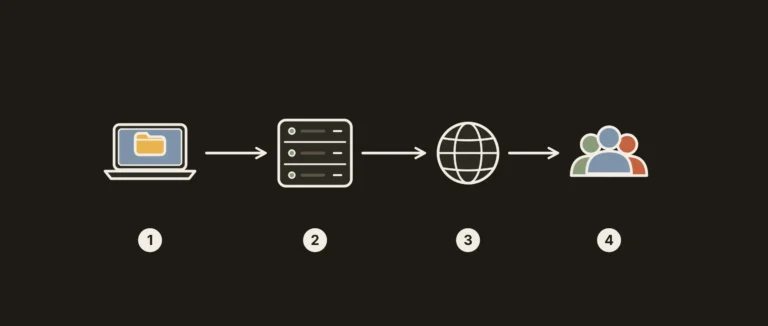
Short answer. For a website with an audience in Ukraine, the country where a hosting provider is registered decides little on its own. Three things matter: the actual latency and server response time for your visitors (measure them, do not take them from ads), payment and support that suit you, and where the backups are stored. Servers in European countries are geographically close to Ukraine, so both a Ukrainian and a foreign provider can give a good result: check it with a measurement before you pay.
There is no provider ranking here: prices and terms change often, and last year’s table is misleading. Instead, below you will find a test method that works with any host, a table of criteria and a short decision guide. It is written for anyone who runs a site for visitors in Ukraine or compares Ukrainian hosts with international ones. We cover server location for a Ukrainian website during the war, and why many projects keep copies in the EU, with sources in a separate guide.
How we checked. On 29 October 2026 we reviewed the advice in this article and removed old prices, provider SLAs and ping figures without a source. The commands below were tested on Linux (curl 8.5); the curl field names were checked against the official curl manual, and the TTFB thresholds come from Google’s web.dev article on TTFB. We did not measure the speed of specific providers from Ukraine, so we quote no milliseconds: measure from the networks your audience uses.
What people mean by Ukrainian hosting
The term usually means providers registered in Ukraine with support in Ukrainian. But “a Ukrainian provider” and “a server in Ukraine” are different things: many providers offer several locations to choose from, and some of their servers may be in Europe or the USA. International providers likewise run data centers in different countries and serve customers from Ukraine.
So the first question for any host is not “are you Ukrainian?” but “in which country and which data center will my account live, and where will the backups be kept?” We look at the terms of individual providers in detail in our reviews, for example in the HOSTiQ review and the Linkhost review with plans and VPS.
We have also reviewed two more Ukrainian providers: BestHosting with its own data center and ZZZ.com.ua hosting with the steps to launch a site.

Selection criteria for an audience in Ukraine
This table is a checklist you can go through with any provider before paying. Save the support team’s answers: that makes them easy to compare.
| Criterion | What to find out | How to check |
|---|---|---|
| Latency and TTFB | How fast the server responds to visitors from Ukraine | ping, traceroute and curl from the networks your audience uses (steps below) |
| Server and backup location | Country and data center of the account, where the backups are stored | Ask support before paying and keep the answer |
| Payment | Invoice currency, payment methods, bank fee for currency conversion | Payment page, the cart up to the last step, a question to support |
| Paperwork | Whether you need an invoice, a completion certificate or a contract for a Ukrainian sole proprietorship (FOP) or company (TOV), and whether the provider issues them | Ask for sample documents before paying |
| Support language and speed | In which languages and at what hours support answers | Send a specific technical question in the evening and time the answer |
| Backups | How often they are made, how long they are kept, whether you can download them | Documentation and control panel; a separate copy outside the server |
| Real cost | Monthly and yearly price, renewal price, domain | Calculate the full amount for a year, not the introductory price |
How to calculate the full yearly amount with a domain and renewal is shown with current provider prices in our guide to web hosting cost.
How to measure latency and TTFB from Ukraine
Distance to the data center is only a rough guide: the route between networks sometimes goes through other cities and countries, and a slow CMS without caching gives a poor response time even on a nearby server. Why distance still matters is explained in our article on server location and website speed. So measure yourself, from the networks your audience uses: home broadband and mobile networks in Ukraine. If you are not in Ukraine yourself, ask colleagues or customers there to run a few measurements.
Step 1. Get a test address. Ask the provider for a test IP or test domain on a server in the location you need. Some hosts publish a looking glass or test files. If other people’s sites already run on the plan, you can measure those.
Step 2. Ping. The command ping -c 20 test.example.com (on Windows ping -n 20 test.example.com) shows the average round-trip time and packet loss. Some servers block ICMP: then ping gets no reply, which does not yet mean the server is unreachable.
Step 3. Route. traceroute test.example.com (on Windows tracert test.example.com) or mtr -rwc 50 test.example.com show which nodes the traffic passes through and at which hop the time jumps.
Step 4. TTFB with curl. This command breaks the request into stages: DNS lookup, TCP connection, TLS, first byte of the response and total time. On Windows 10 and 11, run curl.exe in PowerShell and replace /dev/null with NUL.
curl -o /dev/null -s -w "DNS: %{time_namelookup}s\nTCP: %{time_connect}s\nTLS: %{time_appconnect}s\nTTFB: %{time_starttransfer}s\nTotal: %{time_total}s\n" https://test.example.com/Step 5. Compare under the same conditions. Run the command 10-20 times at different times of day and compare the median, not the single best result. Measure all candidates from the same network at roughly the same time.
A benchmark for judging the result: according to Google on web.dev, a good TTFB is 0.8 seconds or less, and a poor one is above 1.8 seconds. TTFB is not one of the Core Web Vitals, but it comes before FCP and LCP, so a slow server response makes them worse too. What else besides distance affects this figure is explained in our article on how to reduce TTFB.

Data, backups and legal questions
If the site collects personal data (forms, orders, accounts), ask the provider in which country the data and backups are stored and whether you can sign a data processing agreement. If your business is established in the EU, the GDPR applies as well. Check the requirements for your specific project with a lawyer: this article is not legal advice.
Whatever the provider, keep a separate copy of the site outside the main server and check that it actually restores. A copy in the same data center will not help if that building goes down. How to set this up is described in our article on the 3-2-1 backup rule.
What to choose: a short decision guide
| Situation | What to do |
|---|---|
| Almost the whole audience is in Ukraine | Compare 2-3 providers with servers in Ukraine and in neighboring EU countries by TTFB from Ukraine; choose by the figures, backups and support, not by the country of registration |
| Audience in Ukraine and in EU countries | A server in Europe sits between these groups; measure TTFB from both regions |
| A noticeable share of the audience is in the USA | Consider a server in the USA or a CDN and measure from both continents |
| The site is critical for the business | A backup in a different country from the main server and a written moving plan |
| You need documents for a FOP or TOV | Ask for a sample invoice and completion certificate before paying |
| The site already runs but is slow | First check caching and TTFB; moving makes sense if it is the network that is slow, not the CMS |
Whether a content delivery network pays off for a mixed audience is covered in our article on when a CDN becomes a lifesaver.

Where RichHost fits
RichHost, which runs this blog, is an international hosting provider operating since 2003, with servers in Europe and the USA (Helsinki, Warsaw, Paris and the USA); it has no servers in Ukraine. If your audience is in Ukraine, apply the same method to us: measure TTFB and compare it with the other candidates. The contents and prices of the shared hosting plans (from $8 per month, NVMe disks, free Let’s Encrypt SSL) are on the RichHost hosting plans page.
FAQ
Does the server have to be in Ukraine if the audience is Ukrainian?
No. What decides is the measured latency and TTFB from your visitors’ networks, plus reliability and backups. Servers in neighboring European countries are also geographically close to Ukraine, so compare figures, not countries.
How do I measure speed if ping does not respond?
Many servers block ICMP. Use curl from the example above or the Network tab in the browser’s developer tools: in the Timing section, the time spent waiting for the server response corresponds to TTFB.
How many times should I measure?
At least 10-20 runs at different times of day from every network that matters to you. Compare the median: a single fast or slow result says little.
Is it worth moving if the site already runs?
Only if measurements show that the network or the server itself is slow and cache optimization has not helped. Before moving, go through the checklist for hosting migration without losses.